

Download Lockscreen Policy – Android Lockscreen Policy, Free App, Secure Lockscreen
Overview
Lockscreen Policy is a free Android application designed to help users manage and enforce security settings on their device’s lockscreen. Developed by Chislon Chow, the app targets individuals seeking enhanced control over their Android device’s authentication methods. It is intended for users who prioritize device security and want to implement stricter lockscreen policies without relying solely on default system settings.
Target users include privacy-conscious individuals, professionals handling sensitive data, and Android users who wish to customize their lockscreen behavior beyond standard system options. The app supports Android 4.1 and higher, making it accessible to a broad range of devices still in use today. While the developer did not provide additional details about the app’s background or development philosophy, its long-standing presence in the software catalog since 2012 suggests a stable, lightweight design.
Real-world usage scenarios include enforcing password or PIN requirements, preventing certain lockscreen shortcuts, and ensuring consistent security enforcement across device use. The app operates as a utility tool that complements Android’s built-in security features, offering an additional layer of configuration for users who want more granular control over their device’s access points.
Key Features & Capabilities
- Lockscreen Security Enforcement – Allows users to set and maintain specific lockscreen requirements, such as PIN, password, or pattern, ensuring consistent authentication methods.
- Policy Configuration – Enables customization of lockscreen behavior, including restrictions on quick-access features and notifications.
- Compatibility with Android 4.1+ – Designed to function on devices running Android 4.1 and later, supporting a wide range of older and mid-tier Android smartphones and tablets.
- Lightweight and Free – The app is available at no cost and does not require significant system resources, making it suitable for devices with limited processing power or storage.
- English Language Support – Fully available in English, ensuring accessibility for a global user base.
These features are particularly useful for users who want to prevent unauthorized access through default lockscreen shortcuts or who wish to enforce strict authentication rules in shared or public environments. For example, a business user might use the app to disable the ability to unlock the device with a single tap on the power button, ensuring that a password is always required. The app does not replace system-level security but enhances it by allowing deeper policy-level adjustments.
User Interface, Workflow & Performance
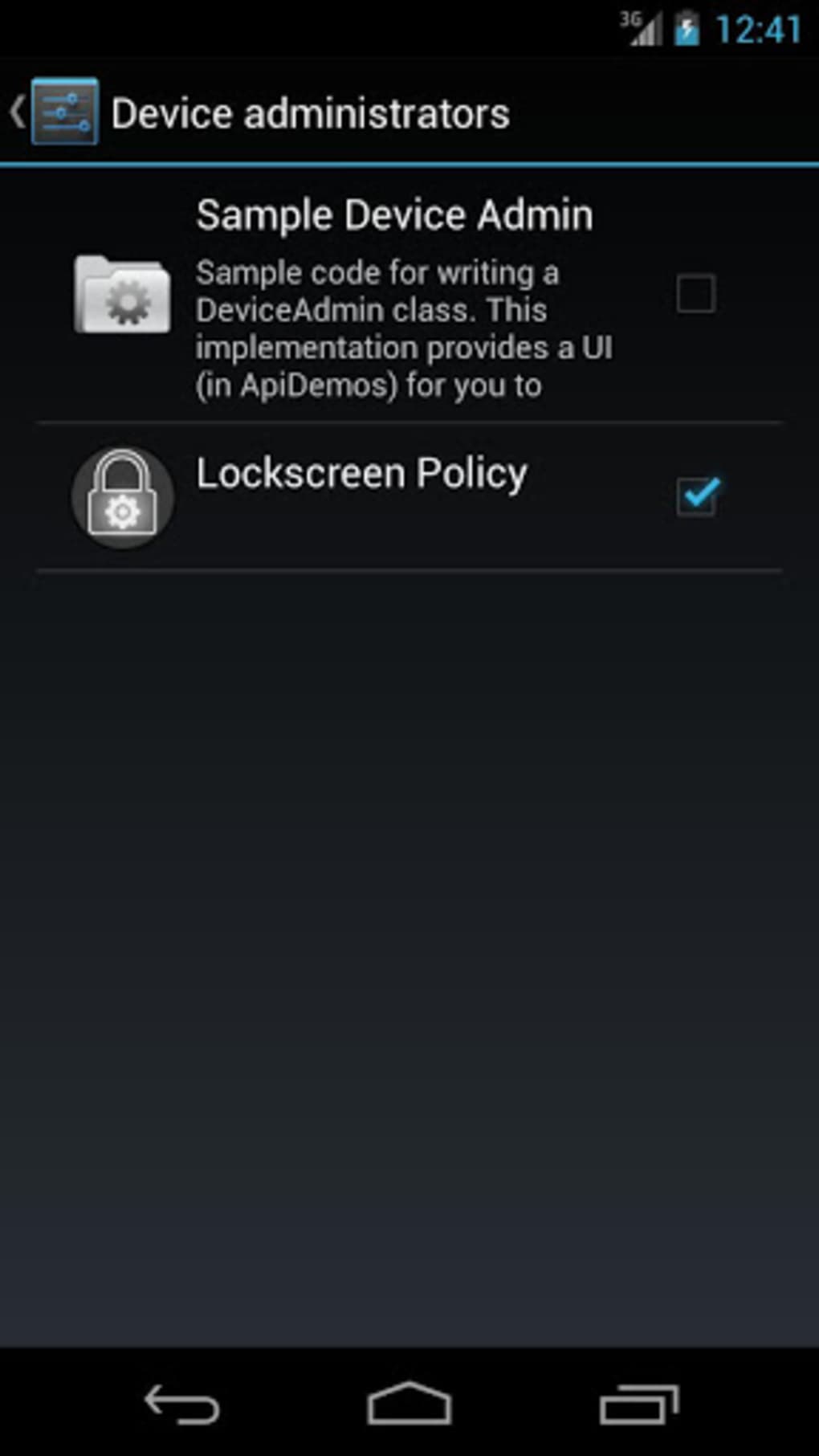
The user interface of Lockscreen Policy appears to be minimal and functional, consistent with the design patterns of lightweight Android utilities. Navigation is likely straightforward, with settings organized into logical sections to manage lockscreen policies. Users can expect a simple workflow: access the app, select desired policy rules, and apply them with minimal interaction.
Performance details were not specified by the developer. However, given the app’s lightweight nature and long-standing presence, it is likely to operate efficiently on supported devices without causing noticeable lag or battery drain. The developer did not provide information on CPU or RAM usage, so actual resource behavior remains unknown. Stability is inferred from its continued availability and 4.8 rating from 524 users, suggesting a reliable experience over time.
General performance observations are based on typical behavior of similar utility apps. The app does not appear to require background processes or constant access to system services, which contributes to its low impact on device performance. Users should expect consistent behavior across reboots and device use.
Compatibility & System Requirements
Lockscreen Policy is compatible with Android 4.1 and higher versions. This ensures support for a wide range of devices, including older smartphones and tablets that may no longer receive official updates. The app is available exclusively for Android platforms, with no information provided about iOS or other operating systems.
The installation size varies depending on the device type, indicating that the app may adapt its footprint based on hardware configuration or system architecture. Exact system requirements were not listed, so users should rely on the minimum Android version requirement as the primary compatibility indicator. The app does not require specific hardware components such as biometric sensors, making it usable on devices without fingerprint or facial recognition capabilities.
Platform compatibility information is limited to the provided Android version range. No details were given about storage space, RAM, or processor specifications needed for optimal performance.
Pros and Cons
Pros
- Free to download and use, with no in-app purchases or hidden costs.
- Supports Android 4.1 and higher, ensuring accessibility on many legacy devices.
- Lightweight design with minimal system resource usage.
- Offers customizable lockscreen policies for enhanced security.
- Available in English, improving usability for international users.
Cons
- No official updates since 2012, raising concerns about long-term compatibility and security.
- Developer information is limited, with no public profile or contact details provided.
- Performance and resource usage details were not disclosed.
- May not support newer Android security features introduced after 2012.
- Limited to Android platform, with no support for other operating systems.
FAQ Section
Is Lockscreen Policy available for iOS devices?
The app is exclusively designed for Android and is not available on iOS or other platforms.
Does the app require internet access to function?
No, Lockscreen Policy operates offline and does not require an internet connection to enforce lockscreen policies.
Can I use Lockscreen Policy on older Android devices?
Yes, the app supports Android 4.1 and higher, making it suitable for many older Android smartphones and tablets.
Is the app safe to install and use?
Based on its long-standing presence and user rating of 4.8 out of 5, the app appears to be secure. However, users should exercise caution when installing software from third-party sources.
How often is the app updated?
The app has not received any updates since its last release on December 2, 2012. Users should be aware that this may affect compatibility with newer Android versions.
Final Thoughts + CTA
Lockscreen Policy remains a niche but functional tool for users seeking additional control over their Android device’s lockscreen security. While its interface and feature set are basic, the app delivers on its core promise: enforcing consistent lockscreen policies on older devices. Its free status and compatibility with Android 4.1 and above make it a viable option for users who need lightweight security enhancements.
However, the lack of updates since 2012 raises concerns about long-term viability, especially as newer Android versions introduce advanced security protocols. Users should carefully assess whether the app meets their current security needs, particularly if they are using modern Android systems.
For individuals with older devices who value privacy and want to strengthen their lockscreen settings without additional costs, Lockscreen Policy offers a practical solution. Download Lockscreen Policy now and take control of your device’s security today.





.png)

